How I run 20 Claude Code agents in parallel without git conflicts
Agents could run in parallel. Our tooling forced them to run one at a time. The fix is an old git feature, worktrees, and a small IDE built around it.
I have been living in Claude Code and Codex CLI for months. The agents are good enough now that the bottleneck is no longer the model, it is me. I always have ten things I want done across four repositories, and the agent can only chew on one of them while I sit and watch. The work is embarrassingly parallel. My tooling was not.
This is a note on the one trick that unlocked real parallelism for me, why naive approaches deadlock on git, and the open-source IDE my co-founder Avijit and I built around it: Workstreams.
The sequential bottleneck
The obvious move is to open a second terminal and start a second agent on the same repo. Do that and you learn the obvious lesson: two agents editing the same working tree stomp each other. One renames a file the other is mid-edit on, a build breaks under both of them, and the diff you eventually read is an interleaved mess that belongs to neither task. So everyone falls back to one-at-a-time: pick a task, prompt, wait, review, repeat. The agent is fast and you are the queue.
Git worktrees: solving the same-repo problem
The conflict is not fundamental, it is a working-tree problem. Git already knows how to check out multiple branches at once into separate directories, all sharing the same .git history. That feature is git worktree, and it is exactly the isolation an agent needs.
git worktree add .workstreams/my-feature feature-branch
Each agent gets its own branch and its own directory. They never touch the same files, so there is nothing to conflict on. When an agent is done you review its branch and merge it with your normal PR flow, same as if a teammate had opened it. Twenty agents, twenty worktrees, zero collisions.
What we built
Worktrees solve the isolation. They do not solve the part where you now have twenty directories, twenty terminals, and no idea which agent is waiting on you. So we built Workstreams, an open-source desktop IDE for macOS that orchestrates the whole loop: it spins up the worktrees, launches the agents in parallel, and gives you one place to monitor, review, and iterate on all of them.
Add repos and define tasks
You add your git repositories to the Projects sidebar, then create a workstream by giving it a feature name, a branch name, and a natural-language prompt. Pick the agent per task: Claude, Codex, or a plain Terminal. You can drag a screenshot or a mockup straight into the creation modal, it saves the file into the worktree and appends its path to the initial prompt, so the agent starts with the picture in hand.
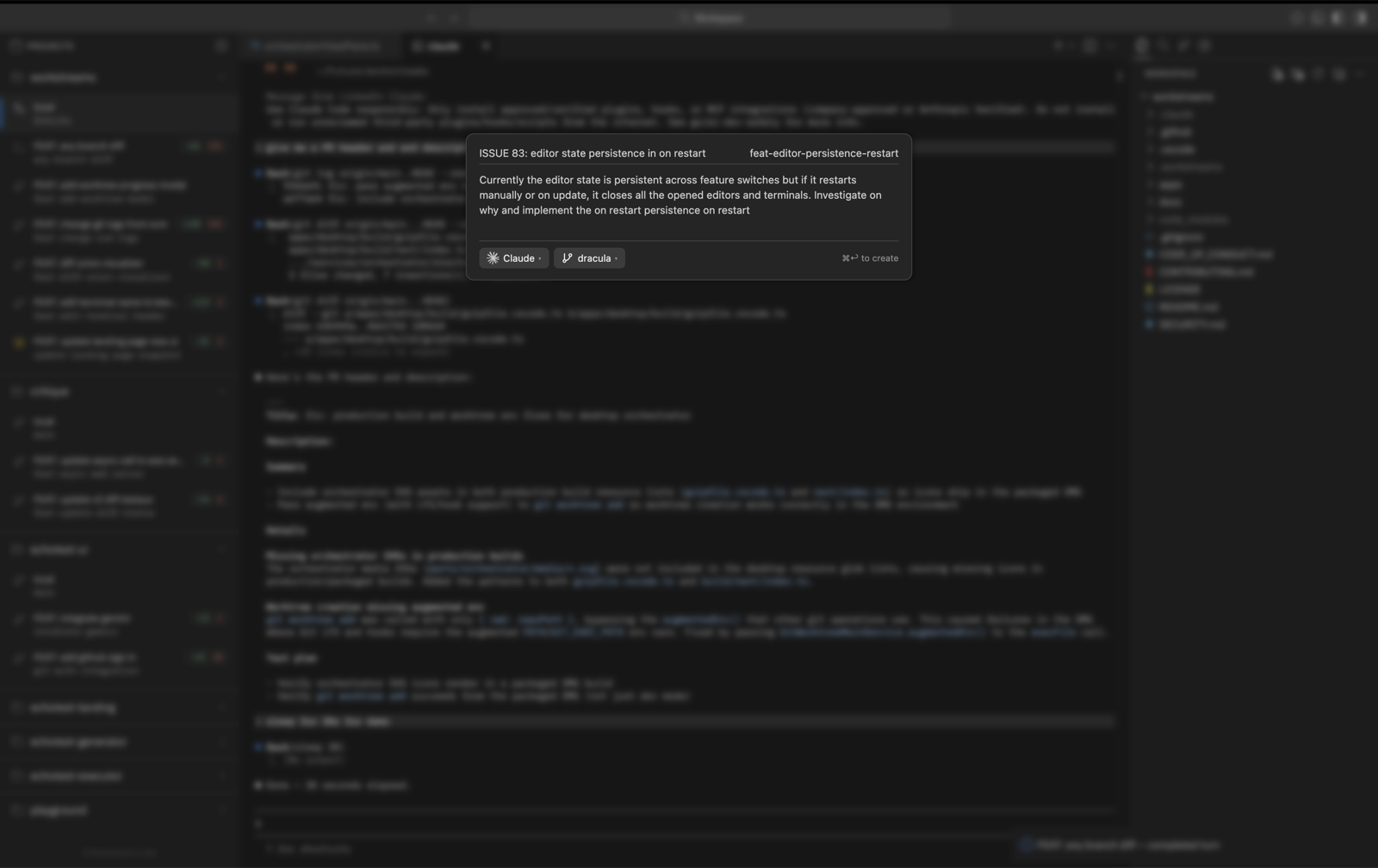
Agents run in complete isolation
On confirm, Workstreams creates the worktree, creates the branch, and launches the agent inside that directory. The sidebar then lists every running workstream with live diff stats and a lifecycle state, working, waiting, ready for review. For Claude Code we wire in hook scripts that report those lifecycle events in real time, so the state in the sidebar is the actual state of the agent, not a guess.
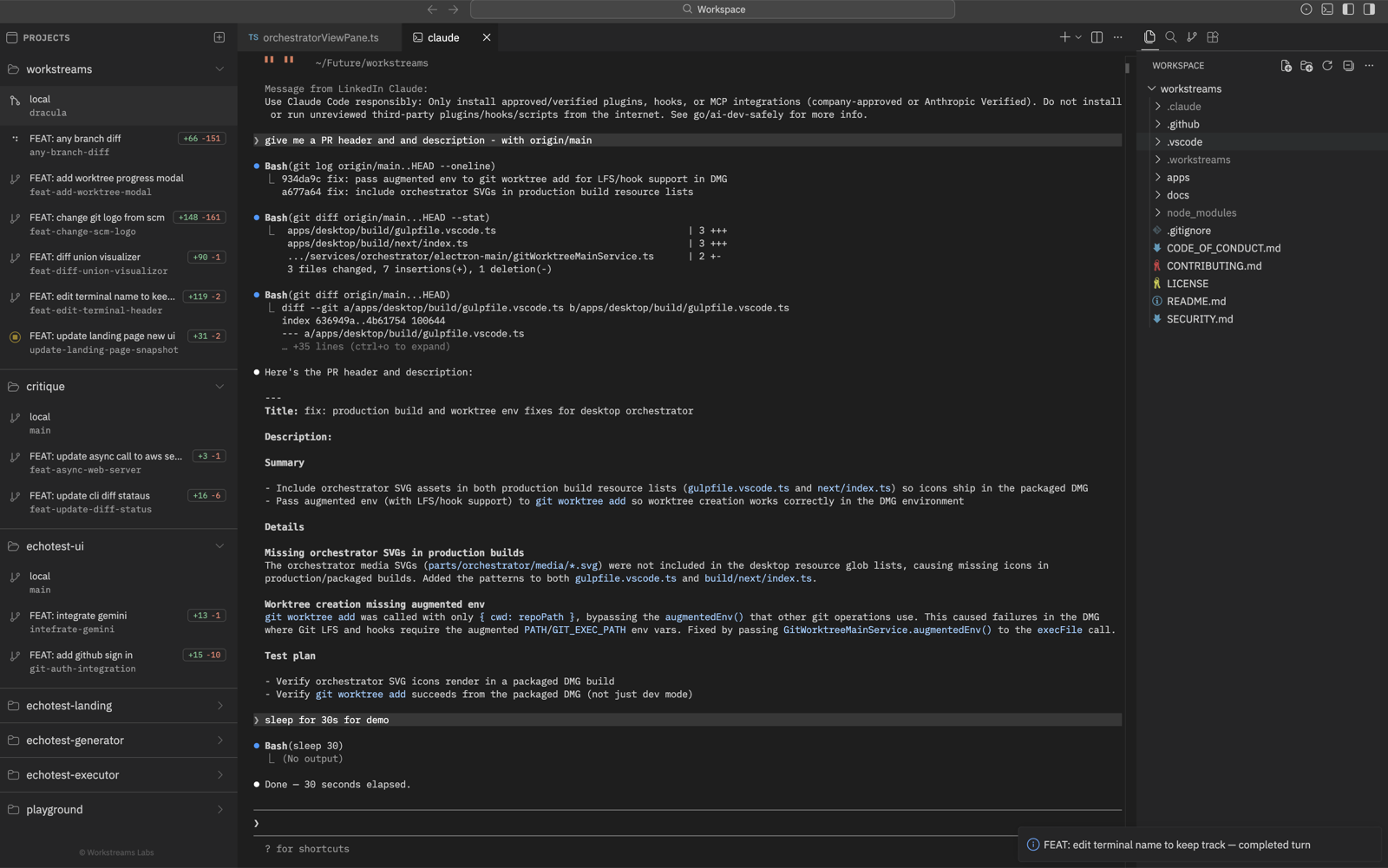
Stateful switching
Switching between workstreams saves the editor layout, the split diffs, and the terminal state of the one you are leaving, then restores the one you are entering. Your original repo checkout is still there as local in the sidebar. Context-switching across ten agents stops being expensive, because the tool remembers where you were in each.
Review diffs and leave inline comments
Every workstream opens to a split diff with gutter affordances for inline comments anchored to a specific line and side of the diff, the same gesture you use in a code review. Comments are stored per worktree in .workstreams/comments/<worktree>.json. They persist across sessions and do not depend on any external service.
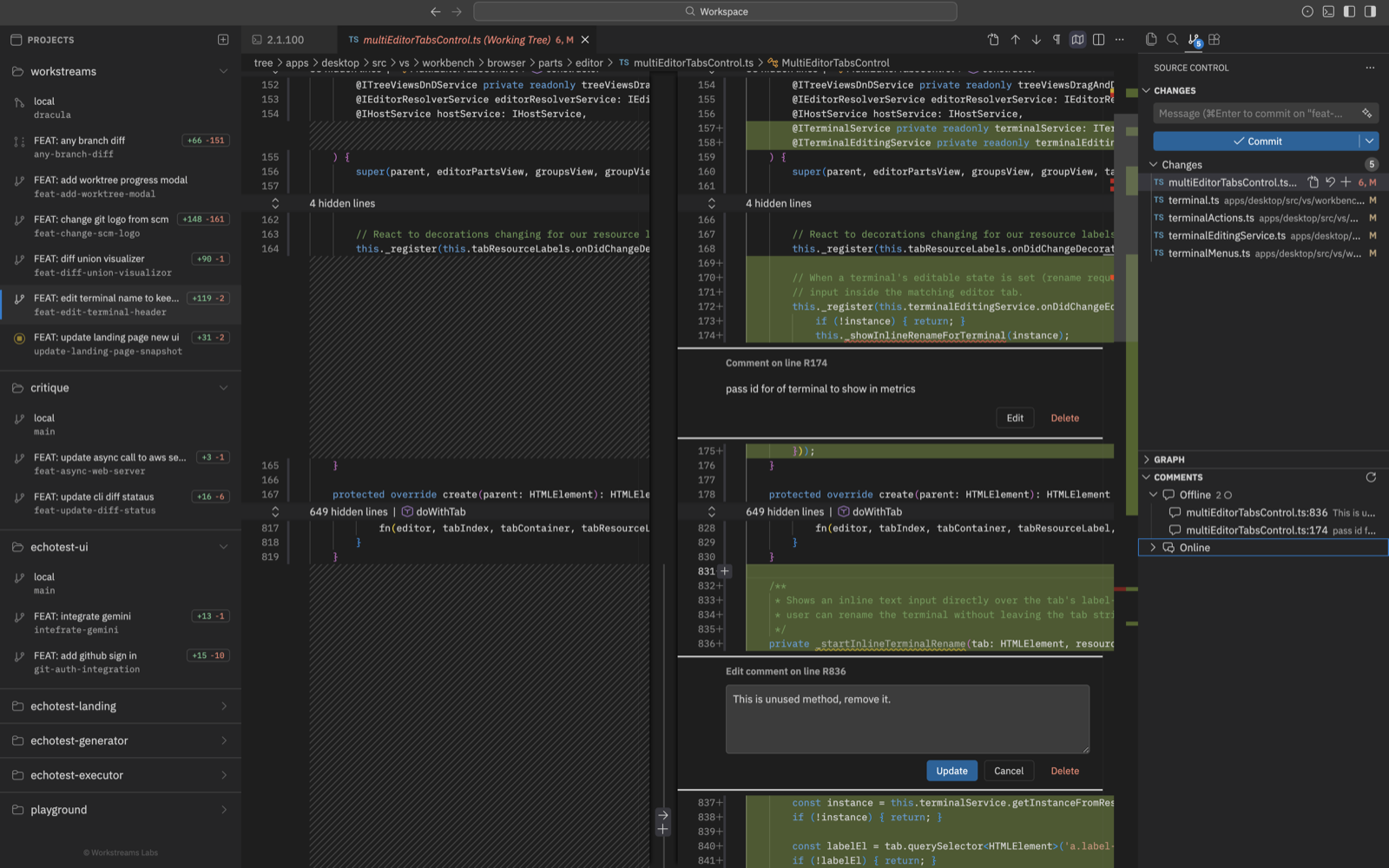
Send comments back to the agent in one click
The command Run Workstream: Send Review Comments to Claude opens a picker of your saved comments. Select the ones you want, and Workstreams opens a terminal in that worktree, starts the configured claude command, formats your comments with file paths and line numbers, and hands them to the agent as feedback. The review-to-iteration loop collapses to a single click.
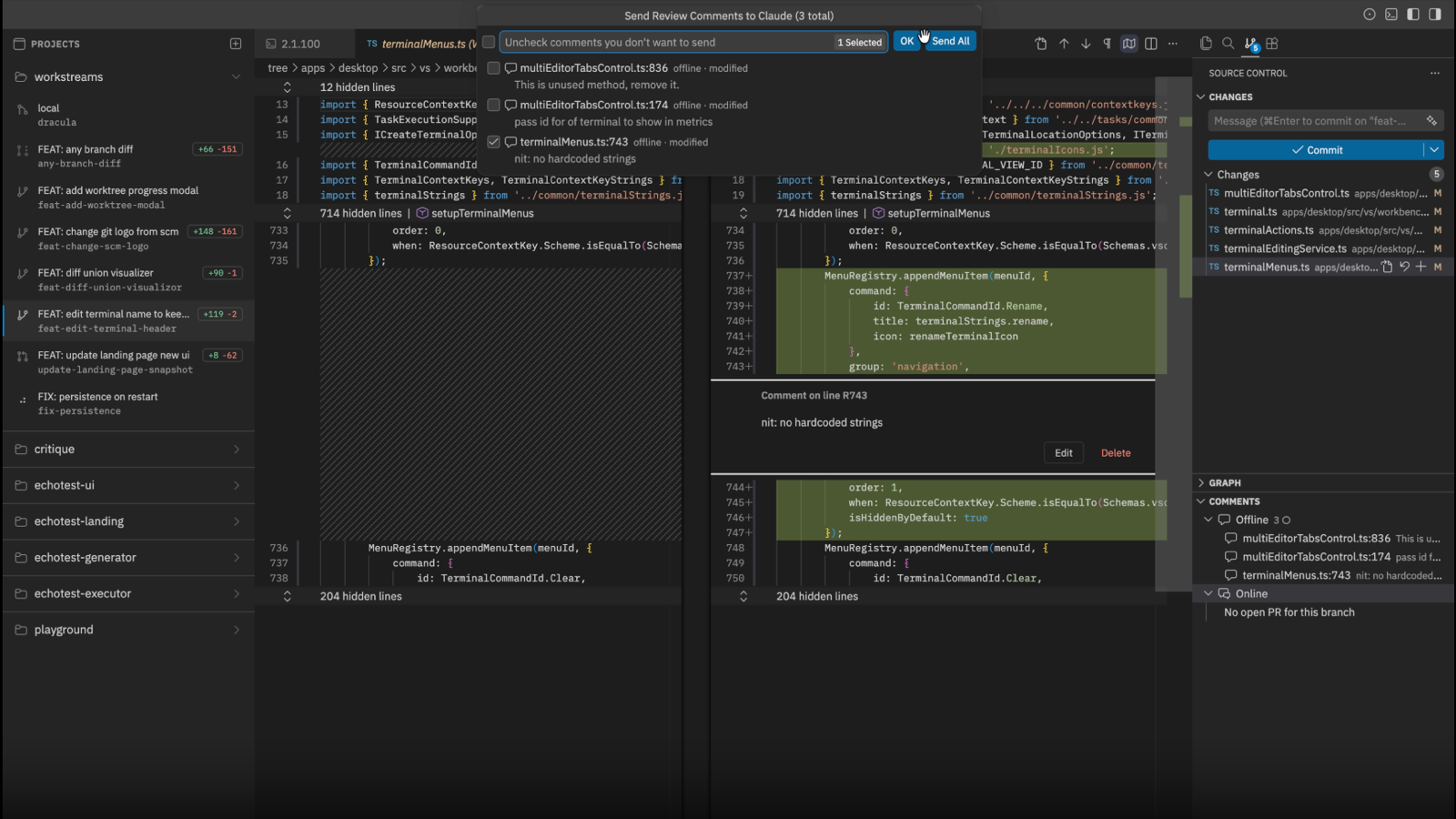
GitHub PR threads too. When a branch backs an open GitHub PR and you sign in with Workstream: Sign in to GitHub, the same picker also surfaces unresolved PR review threads. Local comments and GitHub threads go to the agent together, so review you have already done on the web is not stranded there.
Merge with your normal flow. Nothing exotic at the end: open the PR, merge it the way you always do, then delete the worktree from the sidebar to clean up. Worktrees are cheap to create and cheap to throw away, which is the whole point.
The workflow shift
Before, my day was a queue: pick task, prompt, wait, review, repeat. Now it is a fan-out: define ten tasks across four repos, let the agents work simultaneously, review diffs as they land, send feedback, let them iterate, merge. I am never idle waiting on a single agent, because there are always nineteen others making progress.
The bottleneck shifts from waiting on the agent to writing good prompts and reviewing well. Which is exactly where a human should be spending the time.
That shift is the reason this matters to us at Reflex. The hard part of running agents at scale was never raw model quality, it is the orchestration, the isolation, and the review loop around them. Worktrees are a clean primitive for the isolation half of that problem.
Try it
Workstreams is fully open source and free. It orchestrates the agents you already have installed, no extra accounts, subscriptions, or API keys.
- Download for macOS Apple Silicon + Intel
- Source on GitHub
- Join the Discord
Originally published by Gagan Aryan on dev.to.